MK3 Firmware Updater
Not connected
Start here
Hold BOOT0 while connecting your Sleepus MK3 with USB.
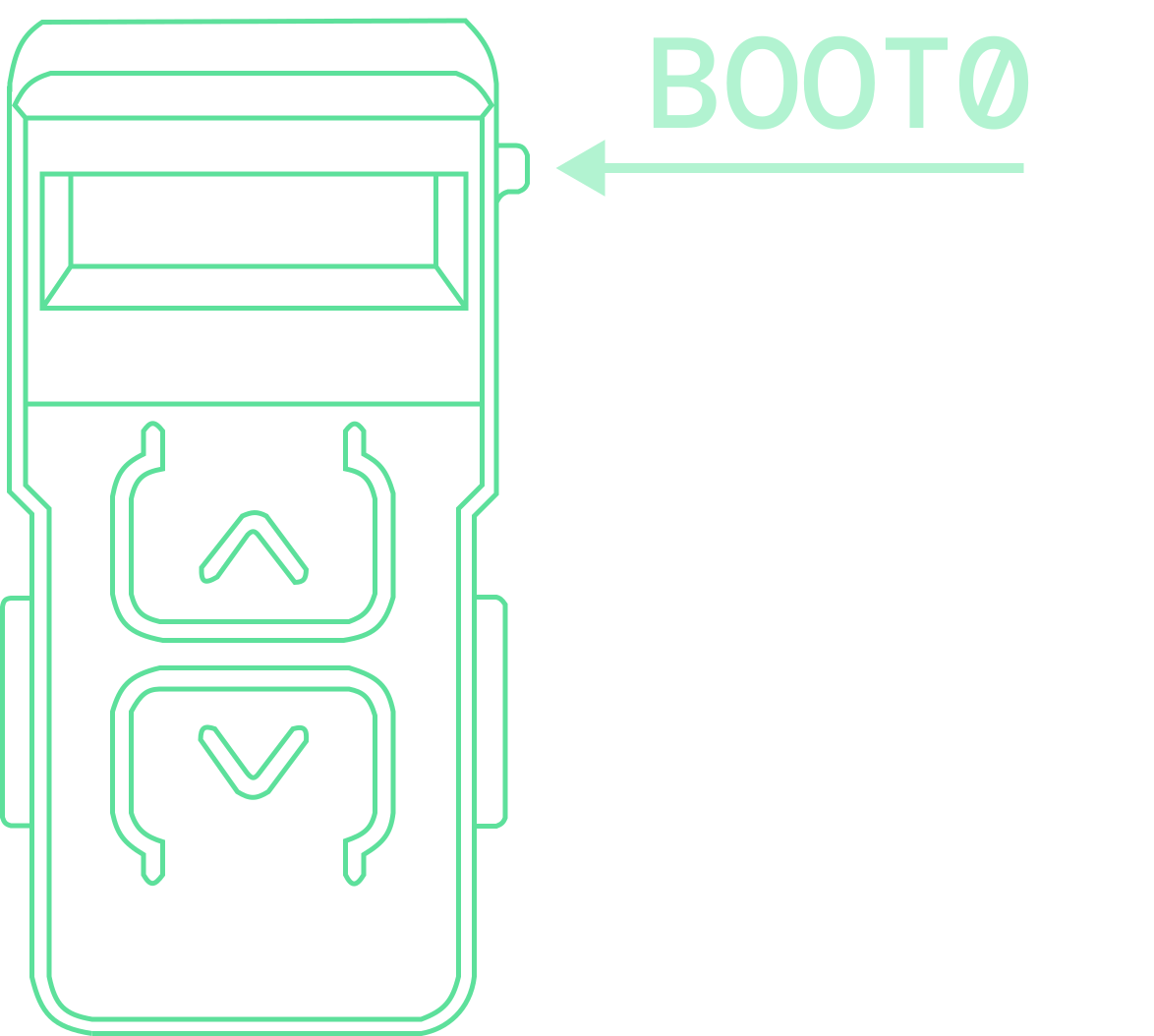
Windows driver setup
Windows PCs only. Macs are ready to connect - no drivers needed.
Windows driver setup
Windows PCs only. Macs are ready to connect - no drivers needed.
Windows only: if Connect does not find Sleepus, download and run Zadig.exe to install WinUSB for DFU in FS Mode (2E3C:DF11). macOS users are ready to continue without a driver download.
- Connect Sleepus while holding BOOT0, then open Zadig and choose Options > List All Devices.
- Select DFU in FS Mode only after confirming USB ID 2E3C:DF11.
- Choose WinUSB, click Install Driver or Replace Driver, then return here and click Connect.
01
Connect your Sleepus
Select your device when the browser prompt appears.
- Device
- -
- Interface
- -
- Transfer size
- -
02
Choose your games
Connect to see your installed games, then add R6, BF6 or ARC. Existing games stay selected and saved menu tuning is preserved.
Installed games: connect your Sleepus to check.
Loading game packs...
No game pack selected.
03
Install firmware
One press retrieves, verifies and flashes the core firmware and selected Lua together. No files need to be saved or uploaded.
Checking for the latest firmware...
--
Ready0%